Description
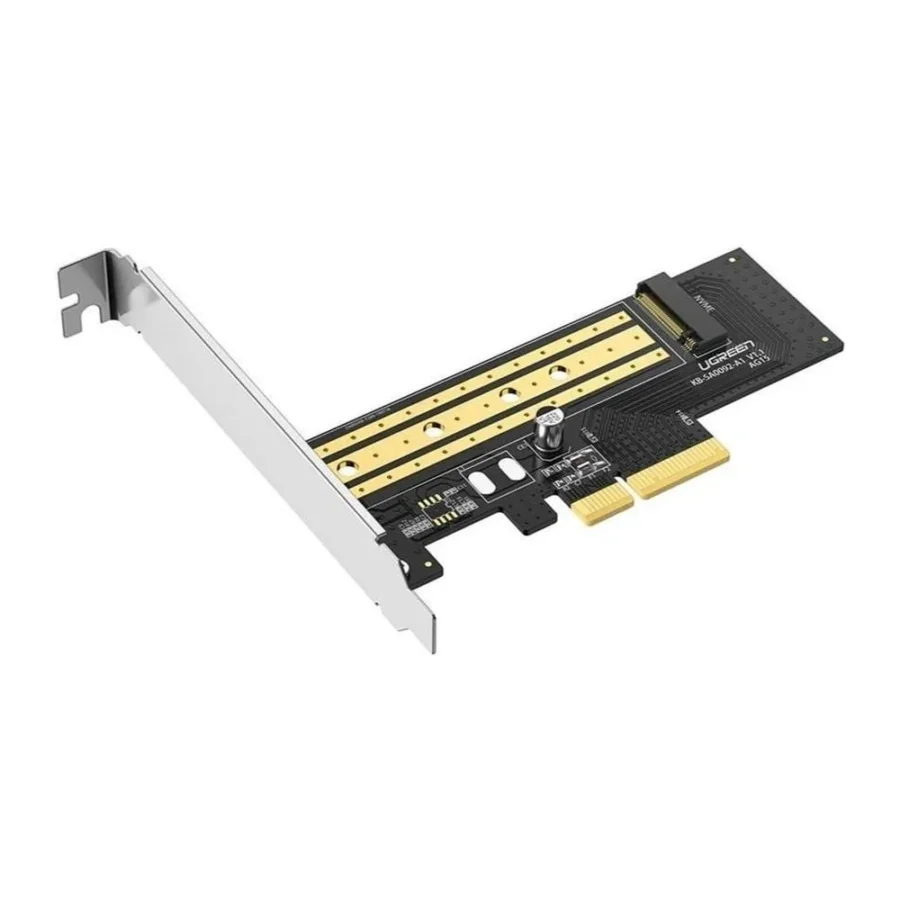
UGREEN 70503 M.2 NVMe to PCIe 3.0 x4 Adapter Card :
Buying Guide & Review
Plenty of desktops in Pakistan are still perfectly capable machines, yet they are stuck with slow SATA storage simply because their motherboards were made before M.2 slots became common. Others have an M.2 slot, but it is already taken. The UGREEN 70503 M.2 NVMe to PCIe 3.0 x4 Adapter Card gets around both problems by letting you mount an NVMe SSD in a regular PCIe slot on the motherboard.
It is a small, inexpensive part, but for the right system it unlocks a genuinely faster storage experience. Here is how it works and what to check before buying.
1. Why Use an NVMe Adapter Card?
Add NVMe to Boards Without M.2
Older boards from the Intel 4th to 6th Gen era, and many workstation and office desktops, have free PCIe slots but no M.2 socket. This card turns one of those slots into a home for a fast NVMe SSD.
Add an Extra Drive to Modern Boards
Even on newer motherboards, M.2 slots can run out. If you want another NVMe drive for games, projects or a scratch disk, a spare PCIe slot and this card give you room to expand.
It is also a tidy way to reuse an NVMe drive pulled from a laptop upgrade. Rather than leaving it in a drawer, you can give it a new job in the family desktop as a fast home for games or media.
2. Design and Build
Simple Card Layout
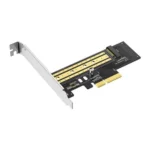
The adapter is a PCIe card with a single M.2 socket for an NVMe drive. You screw the SSD to the card, insert the card into the motherboard, and fix it to the case with its bracket.
Porous Design for Cooling
UGREEN uses a porous design that helps heat escape from the drive area. NVMe SSDs can get warm during heavy use, and better airflow around the drive helps it keep its speed during long transfers.
3. UGREEN 70503 Specs Explained
PCIe 3.0 x4 Link
The card uses a PCIe 3.0 x4 connection, the same kind of link an NVMe drive uses in a Gen3 M.2 slot. It fits in x4, x8 or x16 slots on the motherboard, since larger PCIe slots accept smaller cards.
Up to 32Gbps Bandwidth
UGREEN rates the card for up to 32Gbps of data transfer, which matches the bandwidth of PCIe 3.0 x4. That is enough for a Gen3 NVMe drive to run at or near its full rated speed.
4. Performance You Can Expect
A Big Step Up From SATA
Compared with a SATA SSD or a hard drive, an NVMe drive on this card will open large files, load games and copy folders noticeably faster, provided the slot is wired for enough lanes.
Gen4 Drives Still Work
You can install a PCIe 4.0 NVMe SSD, but it will run at PCIe 3.0 speeds through this card. That is still a sensible choice if you plan to move the drive into a newer system later.
5. Compatibility and Boot Support
Check Your Slot Wiring
Some motherboards have physically large slots that are wired for fewer lanes, or share lanes with other devices. Check your motherboard manual so you place the card in a slot with enough bandwidth.
Booting From NVMe
Using the drive for storage works on almost any system. Booting Windows from it depends on the motherboard’s BIOS supporting NVMe boot. Most boards from the last several years do, but older ones may only let you use the drive as a secondary disk. Check this before planning an OS install.
6. Pakistan Buyer Perspective
Extending the Life of Older PCs
Upgrading an older office or home desktop with an adapter and an NVMe SSD costs far less than a new motherboard and processor. For budget-conscious users, it is one of the cheapest ways to make an ageing system feel quicker.
Heat and Case Airflow
In summer, cards installed near a hot graphics card can struggle. If possible, leave a slot of space between the adapter and the GPU, keep case fans clean, and run the PC on a UPS so sudden power cuts do not interrupt writes.
7. UGREEN 70503 Price in Pakistan and Value
Low Cost, Useful Upgrade
The card itself is inexpensive, and when paired with an affordable NVMe drive it can transform a slow system. That makes it strong value compared with replacing an entire platform.
Warranty Notes
This listing carries a 7-day replacement or refund warranty, so install and test it soon after purchase. When comparing the UGREEN 70503 price in Pakistan, confirm your system has a free PCIe slot first.
8. Who Should Buy the UGREEN 70503?
Ideal For
Owners of older desktops without M.2 slots, builders who have used up their M.2 slots, workstation users adding scratch storage, and anyone recycling a spare NVMe drive.
Not the Right Fit If
You use a laptop, which has no PCIe slots, your desktop has no spare PCIe slot, or you need PCIe 4.0 or 5.0 speeds from a high-end drive.
Conclusion
The UGREEN 70503 M.2 NVMe to PCIe 3.0 x4 Adapter Card is a simple, affordable way to add NVMe storage to a desktop. It offers a PCIe 3.0 x4 link with up to 32Gbps, a porous design for better cooling, and plug-and-play installation.
For older PCs without M.2 slots, or modern builds that need one more fast drive, it is a smart little upgrade that punches above its price.
FAQs
1. Can I use this card in any PCIe slot?
It fits x4, x8 and x16 slots. For full speed, use a slot wired for at least four PCIe 3.0 lanes.
2. Can I boot Windows from an SSD on this card?
Only if your motherboard BIOS supports booting from NVMe. Otherwise the drive can still be used for storage.
3. Does it support SATA M.2 drives?
This card is designed for NVMe M.2 SSDs. SATA M.2 drives need a different adapter.
4. Will a PCIe 4.0 SSD work?
Yes, but it will run at PCIe 3.0 speeds through this card.
5. What is the UGREEN 70503 price in Pakistan?
The price moves with the market. Check the current UGREEN 70503 price in Pakistan on this page or message MHK Tech Zone on WhatsApp for the latest rate.
Reviews
There are no reviews yet.