Description
Thermalright Trofeo Vision 6.86-Inch LCD PC Monitoring Screen with USB Type-C :
Buying Guide & Review
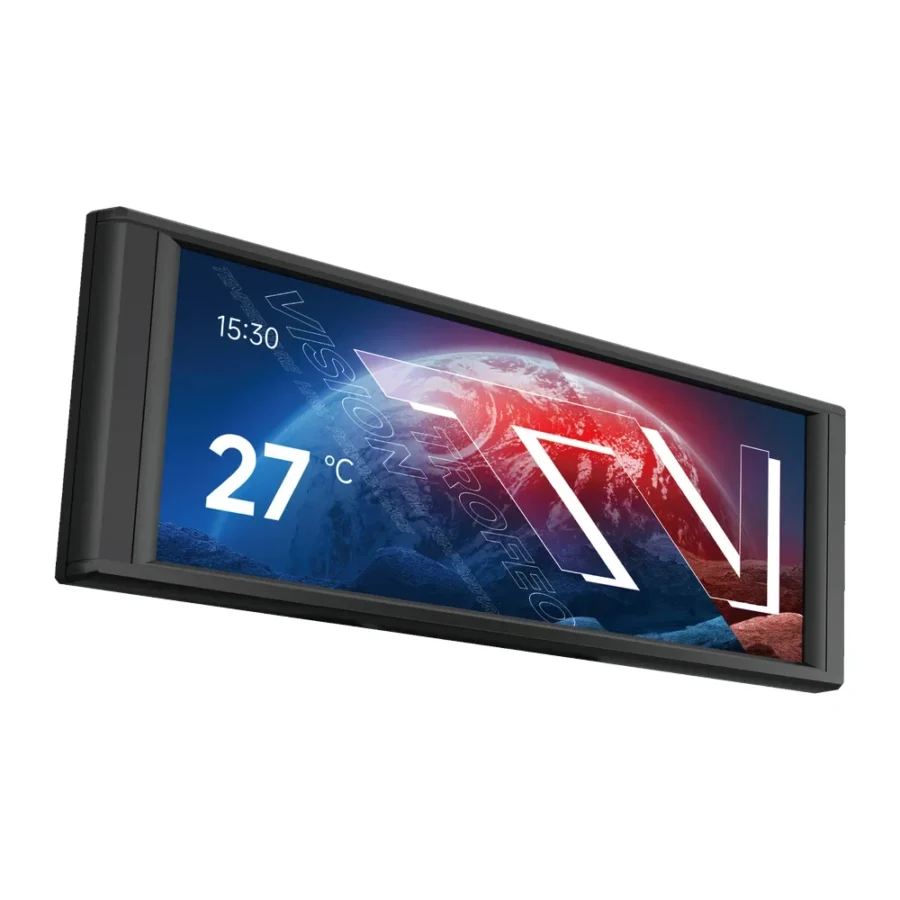
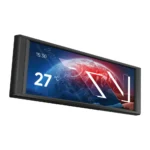
Not every upgrade has to be about more speed. Sometimes the best addition to a build is one that tells you exactly what the system is doing. The Thermalright Trofeo Vision 6.86-Inch LCD PC Monitoring Screen with USB Type-C is a wide secondary screen made to sit inside or next to your PC and show live hardware data, custom designs or both.
Although it is listed alongside CPU coolers, it does not cool anything itself. Think of it as a dashboard for your rig. Here is what it does, where it fits, and who will get the most from it.
1. What Is the Trofeo Vision LCD?
A Dedicated Hardware Dashboard
The Trofeo Vision LCD is a standalone 6.86-inch screen. Its main purpose is real-time hardware monitoring, so you can see figures such as temperatures and usage without opening software on your main monitor.
Part of the Trofeo Vision Family
Thermalright also uses the Trofeo Vision name on its display coolers. This model separates the screen from the cooler, which means you can add the same style of display to a build that already has an air or liquid cooler you are happy with.
2. Design & Display
Wide 6.86-Inch Panel
The screen has a long, wide shape that fits neatly along a case edge, on a shelf or on the desk below the monitor. Its layout lends itself to showing several readings side by side.
1280 x 480 Resolution
At 1280 x 480 the panel is sharp enough for crisp text and graphics at normal viewing distance. Numbers stay easy to read, and custom images look clean rather than pixelated.
Black and White Finishes
Thermalright makes the screen in black and white, so it can blend into either colour scheme without looking like an afterthought.
3. Connectivity & Setup
USB Type-C Connection
The screen connects over USB Type-C. It is a simple, modern connector, and the setup is plug and play, so there is no complex wiring to worry about.
Where to Place It
Depending on your case, you can mount it inside where a glass panel shows it off, or keep it outside next to the keyboard as a desk display. Check that you have a free USB connection and a suitable spot before buying.
4. Software & Customisation
TRCC Control Software
Thermalright’s TRCC software controls what appears on screen. You can choose monitoring layouts, pick which readings you want to see, and set how the display looks.
DIY Options
TRCC also offers DIY options, so you can design your own screen with backgrounds, images and layouts. It is a fun way to personalise a build, whether that means a clan logo, a favourite game theme or a clean minimal readout.
5. Practical Uses in a Real Build
Keeping an Eye on Temperatures
Being able to glance at CPU and GPU temperatures while gaming is genuinely useful. If something starts running hot, you notice straight away rather than after a crash or slowdown.
Tuning and Troubleshooting
If you like to adjust fan curves, undervolt or test a new cooler, a permanent live display makes it easier to see the effect of each change without alt-tabbing out of a game or benchmark.
6. Why It Suits Pakistani Builders
Watching the Heat in Summer
When room temperatures climb in June and July, many users want to know how close their parts are running to their limits. A constant display turns that into a quick glance instead of a guessing game.
An Affordable Way to Refresh a Build
Many gamers here upgrade step by step. If your current cooler is working well, adding this screen gives the build a new look and extra information without replacing parts that are still doing their job.
7. Trofeo Vision LCD Price in Pakistan & Value
A Low-Cost Visual Upgrade
Compared with buying a new display cooler, a standalone screen is a cheaper way to get a large information panel in your setup, since you keep your existing cooling.
Warranty to Note
When looking at the Thermalright Trofeo Vision LCD price in Pakistan, note that it carries a 7 day replacement or refund warranty, so test it properly as soon as it arrives from MHK Tech Zone.
8. Who Should Buy the Trofeo Vision LCD?
Great For
Builders with a glass-sided case who want a wide custom display, gamers who like to see live temperatures, enthusiasts who tune their systems, and anyone who wants a unique look without changing their cooler.
Skip It If
You need a product that actually cools your CPU, you have no suitable place to mount or stand the screen, or you are happy checking temperatures with desktop software.
Conclusion
The Thermalright Trofeo Vision 6.86-Inch LCD PC Monitoring Screen with USB Type-C is a wide, sharp 1280 x 480 display that shows live hardware data and custom designs through TRCC. It connects with a single USB-C cable and works as a plug and play addition to almost any build.
It will not lower your temperatures, but it will show them clearly and make your PC look more personal. For the price, that is a satisfying and easy upgrade.
FAQs
1. Is the Trofeo Vision LCD a CPU cooler?
No. It is a standalone 6.86-inch monitoring screen. It shows information and custom visuals but does not cool the processor.
2. What resolution does the screen have?
It runs at 1280 x 480.
3. How does it connect to the PC?
It uses a USB Type-C connection and is plug and play.
4. Can I show my own images on it?
Yes. Thermalright’s TRCC software includes DIY options for custom layouts and images.
5. What is the Thermalright Trofeo Vision LCD price in Pakistan?
Prices vary with the market and exchange rate. Check the current Thermalright Trofeo Vision LCD price in Pakistan on this page, or message MHK Tech Zone on WhatsApp for the latest rate.
Reviews
There are no reviews yet.