Description
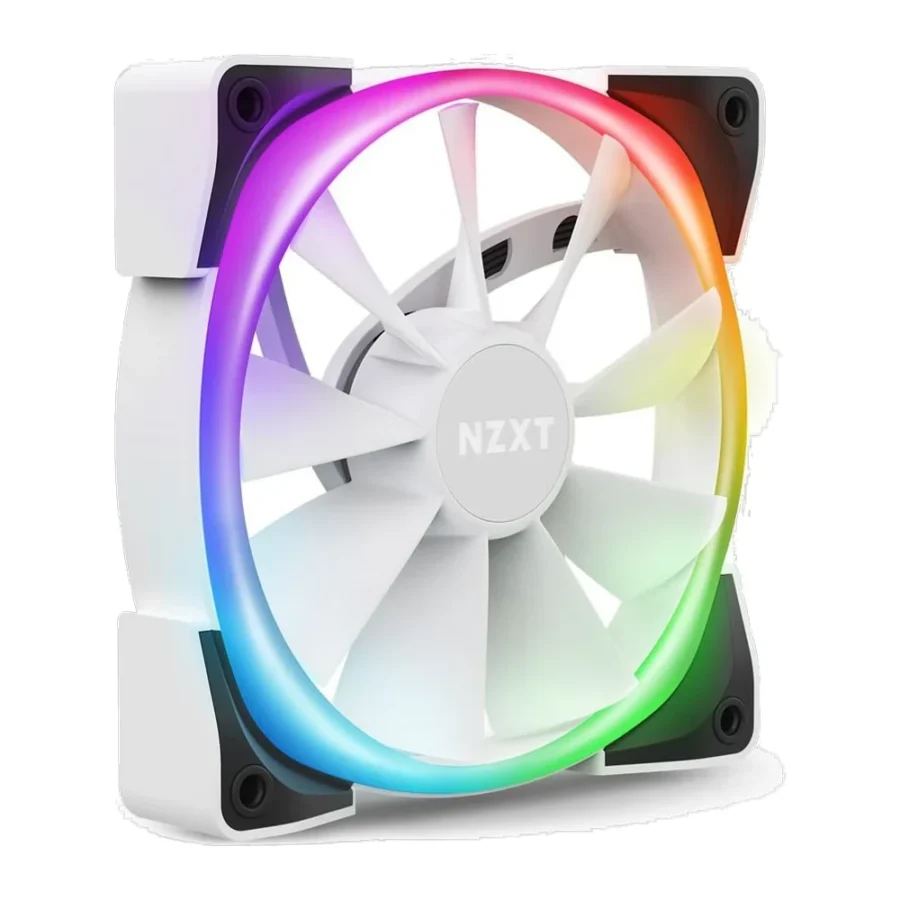
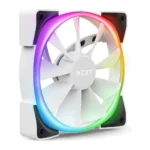
NZXT AER RGB 2 140mm ARGB Case Fan – White :
Buying Guide & Review
NZXT’s CAM software ecosystem has become one of the more approachable ways to manage fan curves and lighting without wading through multiple separate apps, and the NZXT AER RGB 2 140mm ARGB Case Fan – White is built specifically to plug into that ecosystem. At 140mm it moves noticeably more air per fan than a standard 120mm unit, which matters in cases that support the larger size.
For builders working on a white or light-themed setup, this fan also solves a common problem: finding a properly white-finished 140mm ARGB fan rather than a black one with white blades. Here is what it brings to a build in practical terms.
1. Why the NZXT AER RGB 2 140mm Stands Out
Bigger Blades, More Air Per Fan
A 140mm fan covers more surface area than a 120mm one, so it can move a similar or greater volume of air at a lower RPM, which generally means less noise for the same cooling result.
Genuine White Finish
This is a proper white-shrouded fan rather than a black fan with white accents, which matters for builders trying to keep every visible component consistent in a light-themed case.
2. Design & Build
Fluid Dynamic Bearing
The bearing type is built for long service life with steady, low-friction rotation, backed by a rated fan life of 60,000 hours, which comfortably outlasts most PC upgrade cycles.
Daisy-Chain Wiring
Up to five fans can be connected in a single daisy-chain per channel, which keeps cable routing simple even in a case with several AER RGB 2 fans running front, top and rear positions.
3. NZXT AER RGB 2 140mm Specs Explained
A Wide Airflow Range
Airflow spans from 30.39 CFM at idle up to 91.19 CFM at full speed, a big spread that lets the fan stay quiet during normal use and still deliver real cooling power when the system heats up.
500-1500 RPM Curve
The RPM range gives NZXT CAM plenty of room to build a smooth fan curve, so the fan does not need to jump straight from silent to loud when load increases.
4. NZXT CAM Software Control
One App for Fans and Lighting
CAM lets you set custom fan curves tied to CPU or GPU temperature and control the RGB lighting from the same interface, rather than juggling a motherboard app and a separate fan controller tool.
Syncing With Other NZXT Gear
If your case, cooler or PSU already uses NZXT components, these fans slot into the same CAM profile, so the whole system’s lighting and fan behaviour can be managed from one dashboard.
5. Cooling Performance
Strong Front and Top Intake
The wide airflow range makes this fan well suited to front or top intake in a mid or full tower case, especially where 140mm mounting positions are available and underused.
Quiet at Everyday Loads
With a 22 dBA floor, the fan is genuinely quiet during normal desktop use and light gaming, only climbing toward its 33 dBA ceiling under sustained heavy load.
6. Pakistan Market Perspective
Fewer, Bigger Fans for Simpler Builds
Because a single 140mm fan can cover ground that might otherwise need two smaller fans, this can simplify cabling and reduce the number of headers or hub ports needed, which is handy in cases with limited fan headers.
Handling Warm Rooms Efficiently
In the hotter months, the wider airflow range gives this fan room to ramp up when a room is running warm without needing to redline constantly, which keeps noise more manageable during long gaming sessions.
7. NZXT AER RGB 2 140mm Price in Pakistan & Value
Paying for Software and Build Quality
Part of the value here is the CAM ecosystem itself, along with NZXT’s build quality and a properly finished white shroud, not just the airflow numbers on the spec sheet.
A Practical 140mm Option
True 140mm ARGB fans in white are not as common locally as 120mm options, so for builders who specifically need this size and colour, the NZXT AER RGB 2 140mm price in Pakistan is generally a fair ask for a well-supported product.
8. Who Should Buy the NZXT AER RGB 2 140mm?
A Great Fit For
White-build enthusiasts who need a properly finished 140mm fan, NZXT CAM users who want everything managed from one app, and builders with cases that support 140mm mounting in the front or top.
Consider Another Fan If
Your case only supports 120mm fan positions, or you are not planning to install NZXT CAM and would rather rely on motherboard RGB software instead.
Conclusion
The NZXT AER RGB 2 140mm ARGB Case Fan – White pairs a properly finished white shroud with a genuinely wide airflow range and the convenience of NZXT CAM software. A fluid dynamic bearing rated for 60,000 hours and simple daisy-chain wiring round out a fan built for long-term, low-maintenance use.
For anyone building a white-themed PC with 140mm mounting positions to fill, this fan checks the boxes on looks, airflow and ease of control without demanding a complicated setup.
FAQs
Is the NZXT AER RGB 2 140mm good for airflow?
Yes. It spans 30.39 to 91.19 CFM, giving it a wide range from quiet idle operation to strong airflow under load.
Do I need NZXT CAM to use this fan?
CAM is recommended for full control of fan curves and lighting, though the fan can also run on standard motherboard headers without it.
How many fans can I daisy-chain together?
Up to five AER RGB 2 fans can be connected in a single daisy-chain per channel.
Is this fan available in white specifically?
Yes, this listing is the white-finished version, built for light-themed or white PC builds.
What is the NZXT AER RGB 2 140mm price in Pakistan?
Prices shift with stock and the exchange rate. Check the current NZXT AER RGB 2 140mm price in Pakistan on this page or message MHK Tech Zone on WhatsApp.
Reviews
There are no reviews yet.