Description
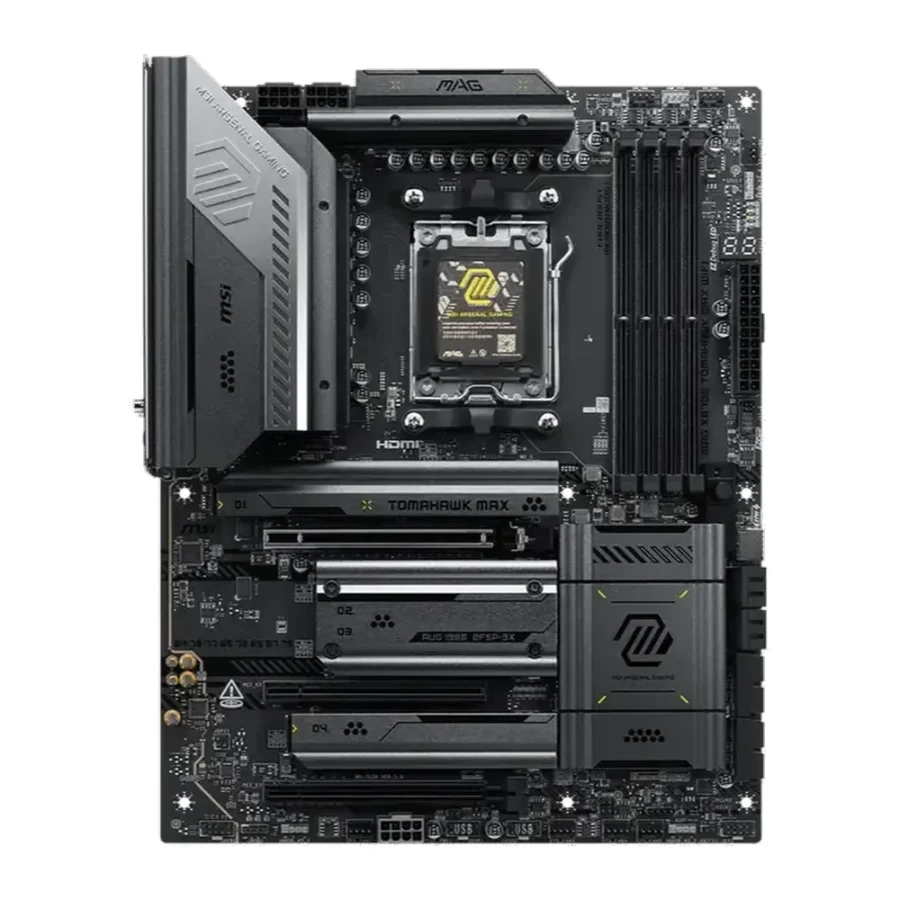
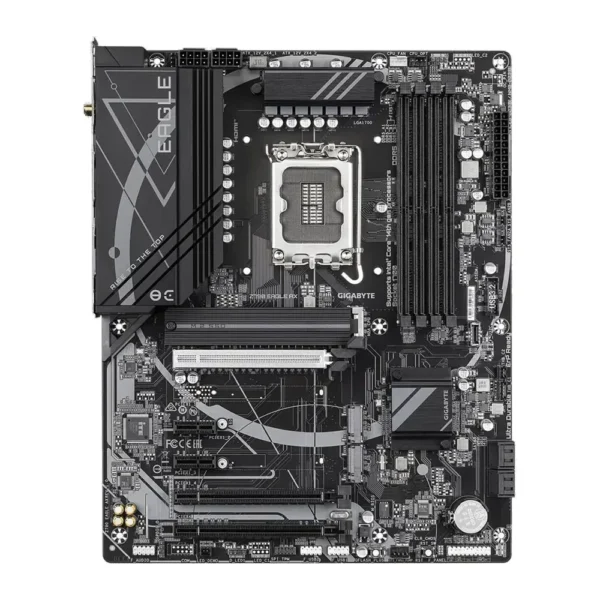
MSI MAG X870E Tomahawk Max WiFi AMD AM5 ATX Motherboard :
Buying Guide & Review
“Max” in a product name usually means marketing, but the MSI MAG X870E Tomahawk Max WiFi AMD AM5 ATX Motherboard genuinely builds on the standard Tomahawk with wider processor support, spanning three generations of Ryzen chips instead of just the newest one, plus a faster storage slot to match.
That matters more than it sounds for buyers here, since it means the board is a safe pick whether you are dropping in a value-focused Ryzen 7000 chip today or a flagship Ryzen 9000 chip down the line. Here is a closer look at what the Max variant actually adds over the standard Tomahawk, and who should spend the extra money on it.
1. Why the MSI Tomahawk Max WiFi Is a Smart Choice
Three Generations of Ryzen Support
Official support for Ryzen 9000, 8000 and 7000 series processors gives this board unusual flexibility. You can start with an affordable current-generation chip and know that older or newer Ryzen options both work without a BIOS gamble down the line.
Built on the Tomahawk Foundation
The Max variant keeps the same dependable, stability-first design philosophy that has made Tomahawk boards popular among Pakistani builders who just want a board that stays out of the way and simply works.
2. Power Delivery & Build Quality
A VRM Sized for the Full Ryzen Range
Since this board needs to comfortably run everything from efficient Ryzen 7000 chips to demanding Ryzen 9000 flagships, MSI equips it with power delivery that has margin at both ends of that range, so it never feels like the limiting part.
Full ATX Footprint
The ATX size leaves enough room for well-spaced M.2 slots, adequate VRM cooling and a full set of expansion slots for builders who want to add storage or capture hardware later without running out of room.
3. MSI Tomahawk Max WiFi Specs Explained
Dual-Channel DDR5 Up to 8400+MT/s
Four DIMM slots run in dual channel with support for DDR5 kits up to 8400+MT/s under overclocking, which is plenty of bandwidth for gaming and content work alike, once you have a stable everyday profile dialled in.
Lightning Gen 5 x4 M.2 Storage
MSI’s Lightning Gen 5 M.2 slot is built with proper cooling and layout for the fastest available NVMe drives, so your primary storage is never the bottleneck between a cold boot and your desktop.
4. Networking & Connectivity
USB4 at 40Gbps
A USB4 port rated at 40Gbps is a genuinely useful inclusion for anyone connecting fast external storage, high-resolution displays or docking stations to a single cable.
Wi-Fi 7 and 5G LAN
Built-in Wi-Fi 7 pairs with 5G-capable wired networking, so the board covers both a strong wireless connection and the lowest possible latency when you can run an Ethernet cable.
5. Gaming Performance
Consistent Clocks Across Chip Generations
Whichever Ryzen generation you install, the board’s power delivery is built to hold boost clocks steady through demanding games rather than letting temperatures force a slowdown mid-session.
Fast Storage Keeps Load Times Short
With Lightning Gen 5 M.2 support, even the largest modern game installs load quickly, keeping the experience smooth from the main menu straight through to the match.
6. Pakistan Market Perspective
A Safer Bet for Multi-Generation Builds
Buyers here often mix and match parts across a couple of years as budgets allow. Wide Ryzen support on this board means your motherboard choice stays valid even if your CPU plans change halfway through a build.
Cooling and Power Considerations
As with any high-power AM5 board, pair it with a case that has genuine airflow and a UPS sized to carry your whole system, especially through summer heat and load-shedding hours when the grid is at its least predictable.
7. MSI Tomahawk Max WiFi Price in Pakistan & Value
What the Max Adds
Compared with the standard Tomahawk WiFi, the Max variant’s wider CPU support and Lightning Gen 5 storage are the main practical upgrades, both of which matter more for long-term flexibility than for day-one performance.
Weighing the Cost
When you check the MSI Tomahawk Max WiFi price in Pakistan, the wider Ryzen compatibility, USB4 connectivity and faster storage are the features that justify the difference over a basic B650 board.
8. Who Should Buy the MSI Tomahawk Max WiFi?
A Great Fit For
Builders who want flexibility across Ryzen generations, anyone planning to reuse the same board through more than one CPU upgrade, and gamers who want USB4 and Wi-Fi 7 built in.
Consider Another Board If
You already know exactly which single Ryzen generation you will run and never plan to change it, in which case a simpler board may save you some budget.
Conclusion
The MSI MAG X870E Tomahawk Max WiFi AMD AM5 ATX Motherboard builds on an already trusted design with wider Ryzen support, Lightning Gen 5 storage and USB4, all backed by MSI’s dependable Tomahawk engineering.
For builders who want a board that stays relevant across more than one Ryzen generation, this is a sensible, well-equipped choice for the AM5 platform.
FAQs
1. Is the MSI Tomahawk Max WiFi good for gaming?
Yes. Its power delivery is designed to keep Ryzen processors stable under sustained gaming loads, and fast Gen5 M.2 storage keeps load times short.
2. Which Ryzen generations does it support?
It officially supports Ryzen 9000, 8000 and 7000 series desktop processors on the AM5 socket.
3. Does it include USB4?
Yes, the board includes a USB4 port rated at 40Gbps for fast external storage and displays.
4. What is Lightning Gen 5 M.2?
It is MSI’s design for the fastest M.2 slot on the board, built with the layout and cooling needed to support PCIe Gen5 NVMe drives properly.
5. What is the MSI Tomahawk Max WiFi price in Pakistan?
Prices move with stock and the exchange rate. Check the current MSI Tomahawk Max WiFi price in Pakistan on this page or message MHK Tech Zone on WhatsApp.
Reviews
There are no reviews yet.