
Description
ASUS ROG Strix X870-A Gaming WiFi DDR5 AMD AM5 ATX Motherboard :
Buying Guide & Review
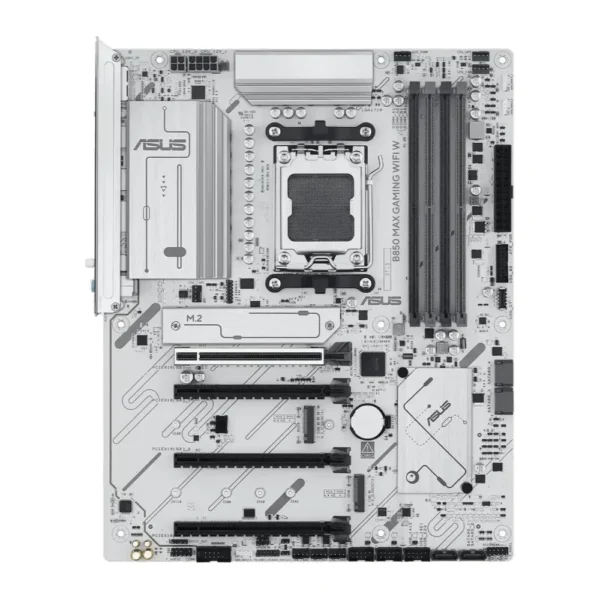
Open a white-themed PC build and the motherboard is usually the part that breaks the look: a dark slab of fibreglass sitting behind a bright case, bright fans and a bright GPU. The ASUS ROG Strix X870-A Gaming WiFi DDR5 AMD AM5 ATX Motherboard fixes that at the source with a white PCB, and then backs the looks with a genuinely current feature set: the X870 chipset, DDR5, PCIe 5.0, dual USB4 and Wi-Fi 7.
This is a board for people who care how their rig looks through the glass but refuse to give up anything that matters under the hood. Below, we look at what the Strix X870-A brings, which Ryzen chips it suits, and whether it deserves the money for a Pakistani builder.
1. Why the ASUS ROG Strix X870-A Stands Out
A White Board Without Compromise
Most white motherboards historically came as cut-down variants or special editions with fewer features. The Strix X870-A is different. The white PCB is the whole identity of the board, but the platform underneath is the same modern AM5 X870 foundation you would find on its darker siblings, so you are not paying for paint instead of hardware.
X870 in a Sentence
X870 is AMD’s newer mainstream-premium chipset for AM5. Compared with the older B650 generation, it makes USB4 and PCIe 5.0 standard features rather than optional extras, which is exactly why it has become the default pick for high-end Ryzen 9000 builds.
2. Design & Build
Aura Sync Lighting
ASUS includes Aura Sync RGB, so the board’s lighting can be matched with compatible fans, strips and coolers from a single app. In a white build, soft uniform lighting reflects off the PCB and case panels and gives the whole system a clean, finished glow.
Full ATX Layout
As an ATX board, it wants a mid-tower or larger case. The extra room over microATX gives better spacing between the graphics card and M.2 slots, more breathing space around the socket for a big cooler, and simpler cable routing, all of which help in hot rooms.
3. ASUS ROG Strix X870-A Specs Explained
DDR5 Memory
Being an AM5 board, the Strix X870-A runs DDR5 only. For gaming, a 32GB dual-channel kit with AMD EXPO support is the sensible starting point, while creators and heavy multitaskers can plan for 64GB. Buy a kit rather than mixing single sticks to avoid compatibility headaches.
PCIe 5.0 for Graphics and Storage
PCIe 5.0 support means the board is ready for the newest graphics cards and fastest NVMe drives. Even if you are using a PCIe 4.0 drive today, having a Gen 5 capable platform means the next storage upgrade will not be held back by the board.
Dual USB4 Ports
Two USB4 ports give you very fast external connectivity. That is useful for high-speed external SSDs, docks and video workflows, and it is one of those features you do not realise you need until you start moving large project files every day.
4. AI Overclocking & Cooling Tools
AI Overclocking and PBO Enhancement
ASUS’s AI Overclocking looks at your specific processor and cooling, then suggests sensible tuning settings. PBO Enhancement builds on AMD’s Precision Boost Overdrive to help Ryzen chips hold higher clocks when thermals allow. You get more of what your CPU can do without spending evenings in BIOS menus.
AI Cooling II
AI Cooling II adjusts fan curves automatically based on system load and temperatures. In practice, the PC stays quieter when you are browsing or working and ramps up only when a game or render actually calls for it, which is handy in a small bedroom during the summer months.
5. Wi-Fi 7 & Connectivity
Wi-Fi 7 Onboard
Wi-Fi 7 is built in, so there is no separate adapter to buy. Even if your current router is older, Wi-Fi 7 is backward compatible, and when you upgrade to a newer router later, the board is already ready for it.
Wired Still Wins for Competitive Games
Wireless is great for downloads and general use, but for ranked matches a LAN cable to the router remains the safest option for stable ping. Use the wired port for competitive sessions and keep Wi-Fi as a flexible backup.
6. Pakistan Buyer Perspective
Heat, Power and Protection
Summer temperatures and load-shedding are part of every build discussion here. A premium board like this deserves a reliable power supply and a UPS or stabiliser that can handle switchovers smoothly. Add a case with good front intake so the VRM area and M.2 drives stay cool on long afternoons.
Planning Your Upgrades
AM5 is AMD’s current long-term socket. You can begin with a mid-range Ryzen 9000 chip now and move to a faster AM5 processor later, keeping the same board, memory and storage. For many buyers in Pakistan, that staggered approach is what keeps a high-end build affordable.
7. ASUS ROG Strix X870-A Price in Pakistan & Value
What You Are Paying For
This is a premium ATX board, and its price reflects that. The value comes from combining a real X870 feature set, including USB4 and Wi-Fi 7, with a white aesthetic that is otherwise hard to find at this level.
Compared With Plain X870 Boards
If appearance does not matter to you, a simpler X870 board might save money. But if you are already investing in a white case, white GPU and white cooler, the Strix X870-A removes the awkward mismatch and still gives you strong tuning tools. Warranty is 1 year.
8. Who Should Buy the ASUS ROG Strix X870-A?
Ideal For
White and light-themed builds, Ryzen 9000 gamers who want easy tuning, creators who will use fast USB4 storage, and anyone who wants Wi-Fi 7 without extra adapters.
Look Elsewhere If
You are on a tight budget, do not need USB4 or PCIe 5.0, or prefer a compact microATX build. A B650 or B850 board would suit those needs at a lower cost.
Conclusion
The ASUS ROG Strix X870-A Gaming WiFi DDR5 AMD AM5 ATX Motherboard manages to be both a looker and a serious platform. AM5 support for the latest Ryzen processors, DDR5, PCIe 5.0, dual USB4 and Wi-Fi 7 cover the performance side, while the white PCB and Aura Sync lighting take care of the showpiece side.
If your next build is going to be white and you want a board that can carry it for years, this one is easy to recommend.
FAQs
1. Is the ASUS ROG Strix X870-A good for gaming?
Yes. It supports current AM5 Ryzen processors, DDR5 memory and PCIe 5.0 graphics, with Wi-Fi 7 for online play, making it a strong base for a high-end gaming PC.
2. Which processors does it support?
It uses the AMD AM5 socket and is compatible with Ryzen 9000 series processors as well as earlier AM5 Ryzen desktop chips.
3. Does the board have a white PCB?
Yes. The white PCB is the defining feature of the X870-A, making it ideal for white or light-themed builds.
4. Does it have USB4?
Yes. The board includes dual USB4 ports for high-speed external storage and docks.
5. What is the ASUS ROG Strix X870-A price in Pakistan?
Prices move with the market and exchange rate. Check the latest ASUS ROG Strix X870-A price in Pakistan on this page, or contact MHK Tech Zone on WhatsApp for the current rate.

Reviews
There are no reviews yet.