Description
ASUS Max Gaming LC 360 ARGB LCD 360mm AIO CPU Liquid Cooler Black :
Buying Guide & Review
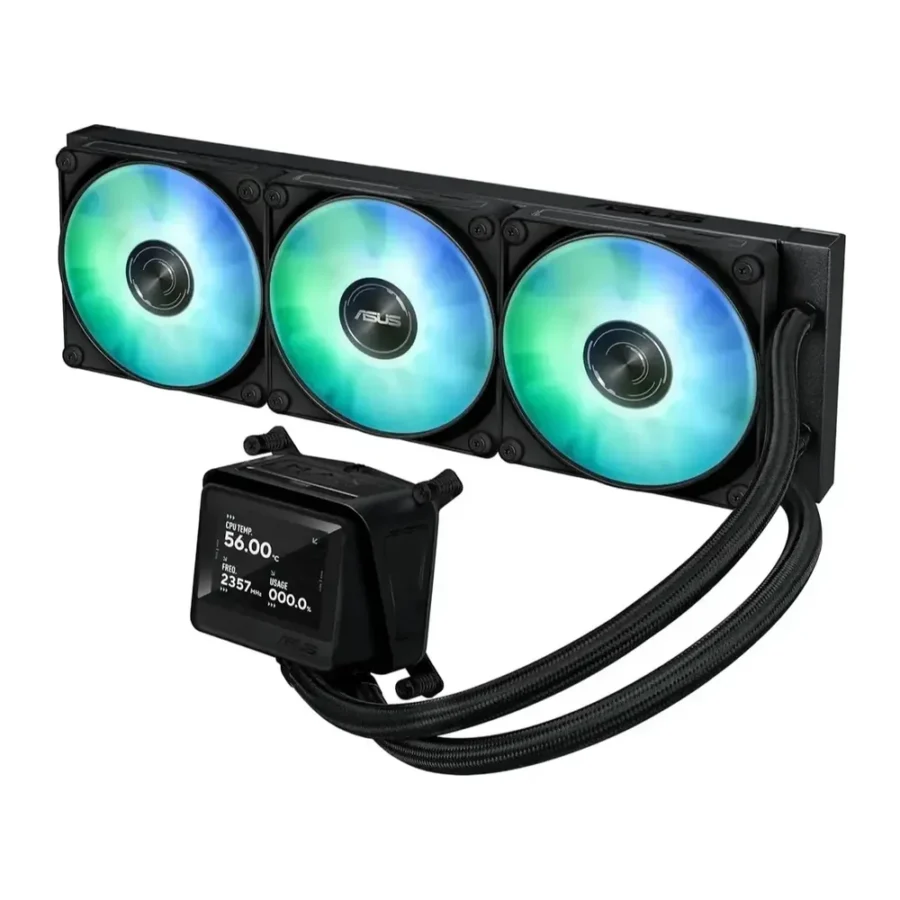
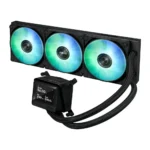
Somewhere between a budget AIO and a flagship cooler sits the ASUS Max Gaming LC 360 ARGB LCD 360mm AIO CPU Liquid Cooler Black, built around a pump tuned for what ASUS calls balanced, robust cooling performance rather than chasing the highest possible flow figure on a spec sheet.
It pairs that pump with a 2.4-inch IPS display and pre-mounted daisy-chain ARGB fans, aiming for a straightforward, dependable install rather than a complicated one. Here is what it offers, how it performs under load, and who it makes the most sense for.
1. Why the ASUS Max Gaming LC 360 Is a Smart Choice
A Balanced Pump Design
ASUS tunes this pump for balanced performance rather than pushing for extreme flow rates, which tends to translate into quieter, more consistent operation across everyday gaming and productivity loads, rather than a cooler that only shines on a spec sheet.
A Genuinely Useful 2.4-Inch Display
The IPS LCD is large enough to read comfortably from a normal desk distance, showing CPU and GPU temperatures without needing to lean in close every time you want to check them.
2. Design & Build
Pre-Mounted Daisy-Chain ARGB Fans
The three ARGB fans arrive pre-mounted and daisy-chained to the radiator, cutting installation down to a single cable run back to the motherboard header, which shortens the whole build process noticeably.
Matte Black Finish
The all-black finish across the radiator, pump and fans keeps the build understated, which suits the darker cases that remain the most common choice in local builds and hides dust between cleaning sessions.
3. ASUS Max Gaming LC 360 Specs Explained
360mm Radiator Capacity
A 360mm radiator across three fans gives this cooler solid thermal capacity for mid-range to high-end Ryzen and Intel Core processors, with enough headroom to handle boosted all-core clocks comfortably.
Aura Sync Software Customisation
Lighting on the pump and fans can be customised through ASUS’s Aura Sync software, letting the cooler follow the same lighting profile as an Aura-Sync-enabled motherboard and other synced components.
4. Cooling Performance
Consistent Across Long Sessions
The balanced pump design keeps coolant circulating steadily through long gaming sessions or renders, avoiding the temperature swings that can happen with a pump tuned purely for peak flow figures on paper.
Enough Headroom for Modern CPUs
With a full 360mm radiator working alongside three ARGB fans, this cooler has enough capacity to handle current mid-range to high-end desktop CPUs without constantly running at maximum fan speed, even during back-to-back gaming sessions.
5. Display & Lighting
CPU and GPU Monitoring in One Place
The 2.4-inch LCD can show both CPU and GPU stats, giving a fuller picture of system load than a display limited to CPU temperature alone.
Aura Sync for a Coordinated Build
Because the lighting is Aura Sync compatible, it’s straightforward to keep the cooler’s ARGB in step with the rest of an ASUS-based build.
6. Pakistan Market Perspective
A Dependable Choice for Warm Rooms
A balanced pump and full 360mm radiator give this cooler solid thermal headroom for Pakistan’s warmer months, keeping temperatures in check without needing the fans to scream at full speed.
Straightforward Setup for First-Time Builders
Pre-mounted, daisy-chained fans and a single monitoring app make this a more approachable cooler for anyone assembling their first PC rather than relying on a shop to do the install.
7. ASUS Max Gaming LC 360 Price in Pakistan & Value
A Middle-Ground Option in ASUS’s Lineup
Sitting between ASUS’s entry-level and flagship AIOs, this cooler offers a genuinely usable display and dependable cooling without reaching ROG-tier pricing, which makes it an easier sell for a first serious gaming build.
Worth It for the Display Alone
When you check the ASUS Max Gaming LC 360 price in Pakistan, the 2.4-inch IPS display and Aura Sync support are a meaningful part of what you’re paying for over a screen-free 360mm AIO.
8. Who Should Buy the ASUS Max Gaming LC 360?
A Great Fit For
Builders who want a dependable, easy-to-install 360mm AIO with a real display, ASUS ecosystem users who rely on Aura Sync, gamers running mid-range to high-end CPUs, and anyone assembling their first liquid-cooled build.
Consider Another Cooler If
You want the absolute largest display available or the highest-rated pump flow figures. ASUS’s ROG-branded coolers target that segment instead.
Conclusion
The ASUS Max Gaming LC 360 ARGB LCD 360mm AIO CPU Liquid Cooler Black keeps things dependable: a balanced pump, a full 360mm radiator, pre-mounted daisy-chain ARGB fans and a 2.4-inch IPS display that covers both CPU and GPU monitoring.
For Pakistani builders who want a straightforward, easy-to-install AIO with a genuinely useful screen, this cooler is an easy recommendation, and one that suits both a first build and a careful upgrade a few years later without needing to relearn a new app.
FAQs
1. Is the ASUS Max Gaming LC 360 good for gaming?
Yes. Its 360mm radiator and balanced pump give it solid thermal capacity for mid-range to high-end gaming CPUs.
2. Can the display show GPU temperatures too?
Yes, the 2.4-inch LCD can display both CPU and GPU stats.
3. Are the fans easy to install?
Yes, the three ARGB fans come pre-mounted and daisy-chained, needing only one cable back to the motherboard.
4. Does it support Aura Sync?
Yes, the pump and fan lighting can be customised and synced through Aura Sync.
5. What is the ASUS Max Gaming LC 360 price in Pakistan?
Prices move with the market and exchange rate. Check the current ASUS Max Gaming LC 360 price in Pakistan on this page or message MHK Tech Zone on WhatsApp for the latest rate.
Reviews
There are no reviews yet.